How to stop trading after a loss limit on MT4/MT5
In brief
To stop trading after a loss limit, prepare the threshold, stopping action and restart time. On MT4/MT5, account protection can enforce that decision on the connected account when a trading lock becomes active.
Prepare a clear stopping condition
Define what ends your session: a drawdown limit, maximum SL count or trading hours. Specify the measurement period and reset. These controls can complement each other without requiring all of them to trigger together.
An SL counter may reach its limit while drawdown remains below the selected cap. That is a stopping condition in its own right. Compare the triggered rule with the settings actually applied to the account.
Three checks when protection triggers
- Confirm that the account number and broker server match the account used in MetaTrader.
- Read the lock status, reached condition and next scheduled reset.
- Review open positions and pending orders according to your prepared procedure.
See the SentinelleTrader interface
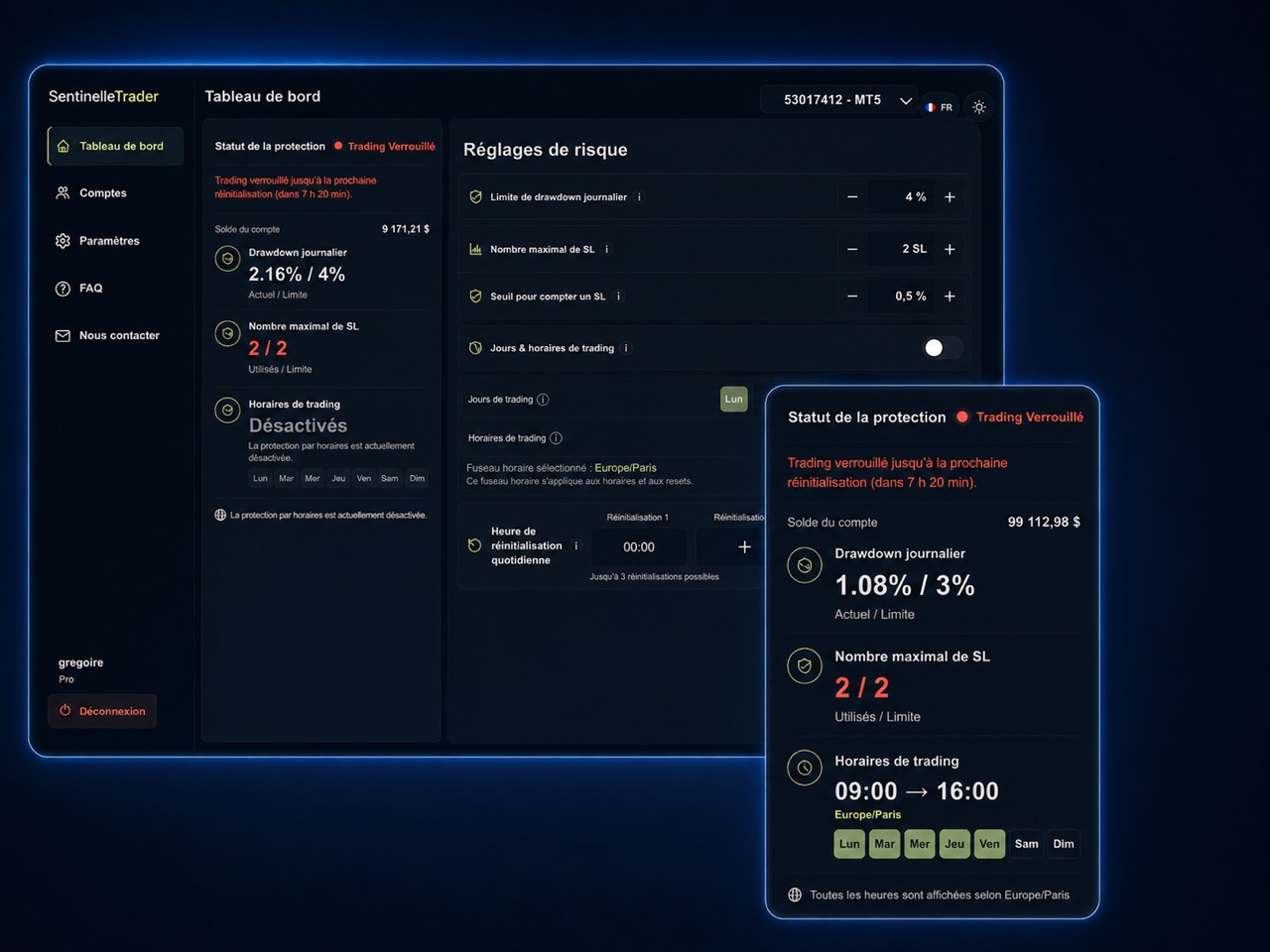
The status provides useful information; submitting repeated orders to test a lock can generate costs. If the displayed information or connectivity appears inconsistent, stop new entries and check the problem before continuing.
What SentinelleTrader does during a lock
New positions on the protected account are automatically closed. MetaTrader’s Buy or Sell button may remain available: this is not guaranteed broker rejection before a position opens. An order can therefore be accepted before protection intervenes.
Closing depends on connectivity and execution conditions, so the final result can differ from the configured threshold. A session lock also does not replace the stop-loss you prepared for each individual position.
Wait for the planned restart
Check the reset and its time zone before considering another session. Switching devices does not change the account’s rule. To prepare the threshold beforehand, read how to define your daily loss limit.
Discover SentinelleTrader to see configured limits and protection status in the interface.
Sources and information about this guide
SentinelleTrader team · Published .
Written by the publisher of SentinelleTrader. Product sections describe our own service. Our editorial method.