MT4/MT5 risk management software: choosing trading protection
In brief
You know your limits, but sometimes keep trading beyond them? SentinelleTrader applies configured rules to your MT4/MT5 account, helping you follow the stopping decision you made before the session.
Choose a tool that matches your need
A risk calculator turns your percentage into an amount. An alert tells you a threshold has been reached. Account protection adds an action when your stopping rule is triggered.
If your difficulty is entering another trade after several losses, look for a tool that enforces that rule. The aim is to keep your plan in place when you feel tempted to change it during the session.
How SentinelleTrader acts on your account
You set your daily drawdown limit and maximum stop-loss count. While a lock is active, SentinelleTrader automatically closes new positions until the planned reset. Protection follows the connected account, including when you place orders from a phone.
Essential protects one MT4/MT5 account with drawdown and stop-loss limits. Pro covers two accounts with separate rules and adds trading days and hours. Choose the features that fit your own written plan.
See the SentinelleTrader interface
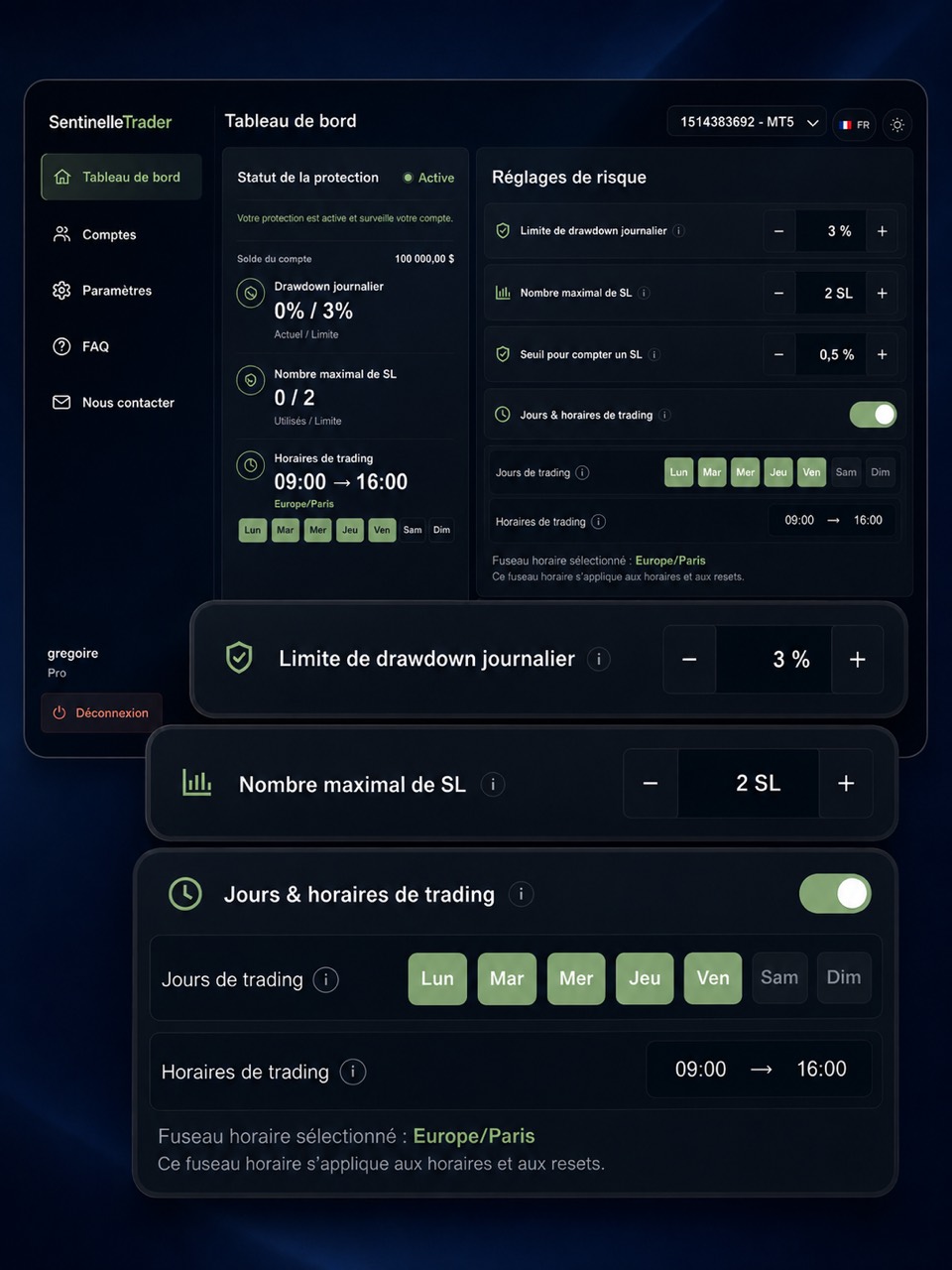
Check protection in three steps
- Connect the correct account using its platform, exact broker server and main trading password.
- Save your limits, then check the settings actually applied and the reset time.
- Wait for active protection status before relying on the service.
Your personal computer can then be switched off. The service and its broker connection still need to work. The lock acts on new positions; it does not guarantee rejection before an order opens.
You can discover SentinelleTrader to see how it works. Our guide to automating MT4/MT5 trading rules explains the setup.
Sources and information about this guide
SentinelleTrader team · Published .
Written by the publisher of SentinelleTrader. Product sections describe our own service. Our editorial method.